
Create Security Tags
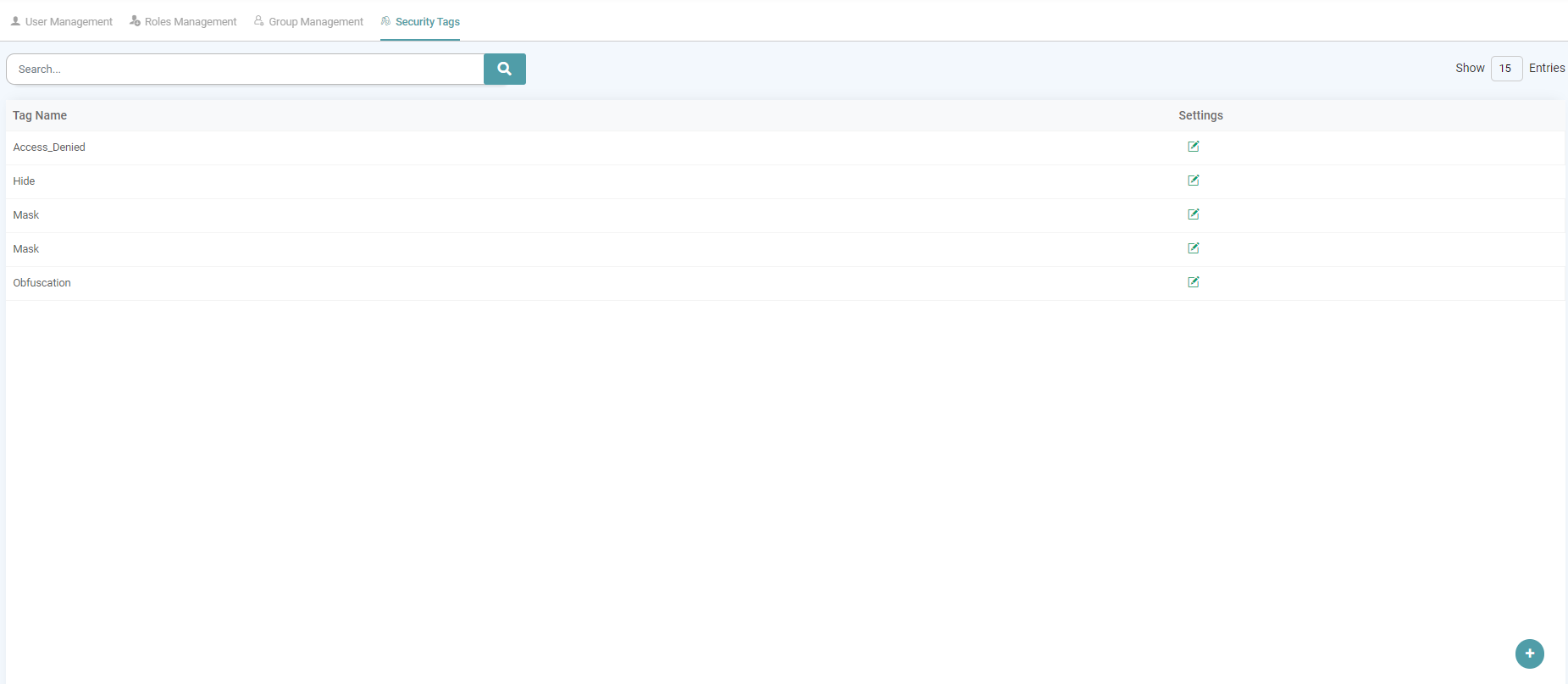
Step 1: In the Main Navigation Bar, click on ‘Admin’. Click on Security Tags Tab to add/ see the list of Security Tags.
Step 2: Click on the add icon, located in the bottom right of the screen to Create a Security Tag. (Refer to the image below).


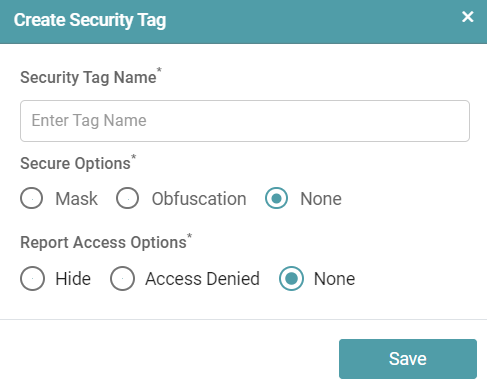
Step 3: Provide security tag name, secure options and report access options.
Step 4: Click save to create tag. (Refer to the image below).
Search
Step 1: In the Main Navigation Bar Click on ‘Admin’. Click on Security Tags to add/ see the list of Security Tags.
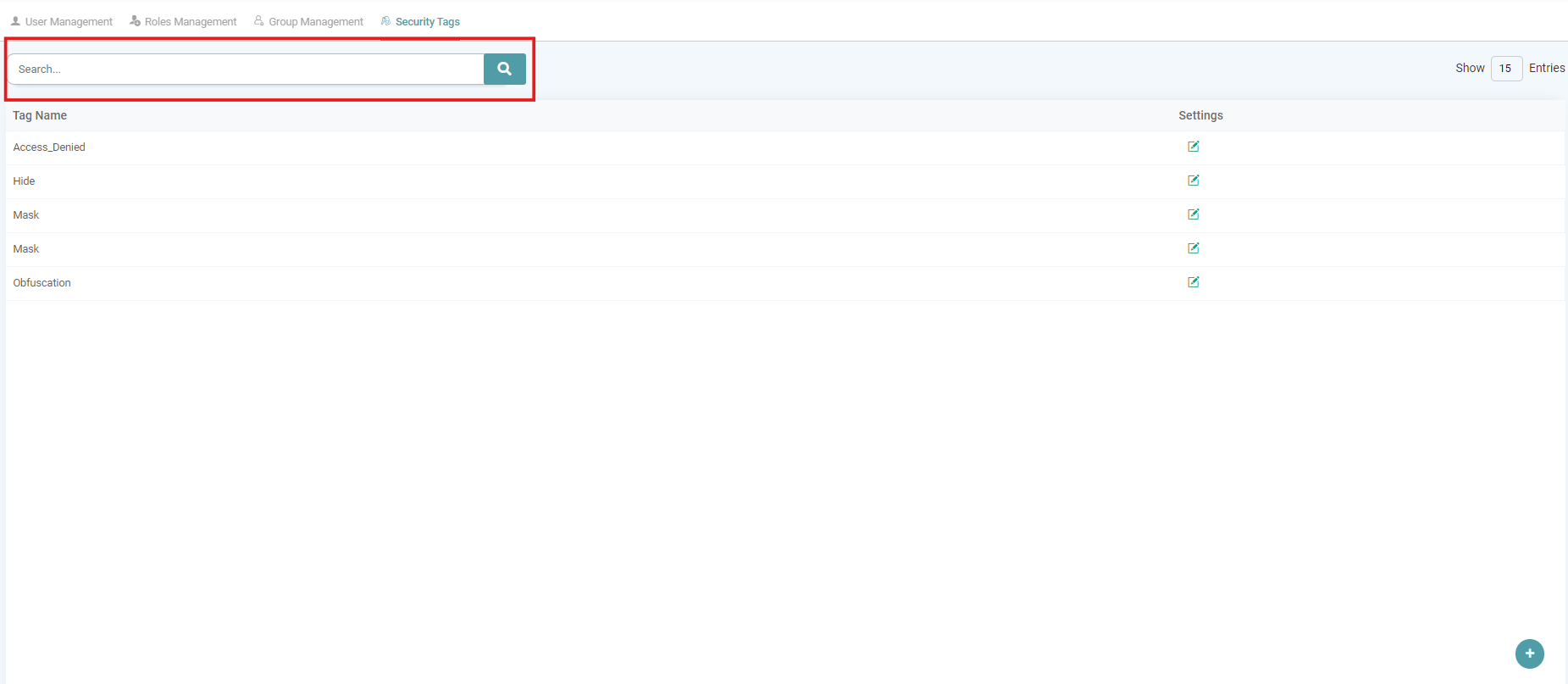
Step 2: To search the security tag we have created, use the search bar enter the name of tag and hit search button. (Refer to the image below).
Settings
Edit
Step 1: In the Main Navigation Bar, click on ‘Admin’. Click on Security Tags tab to add/ see the list of Security Tags.
Step 2: Under settings, you can update the security tag. (Refer to the image below).
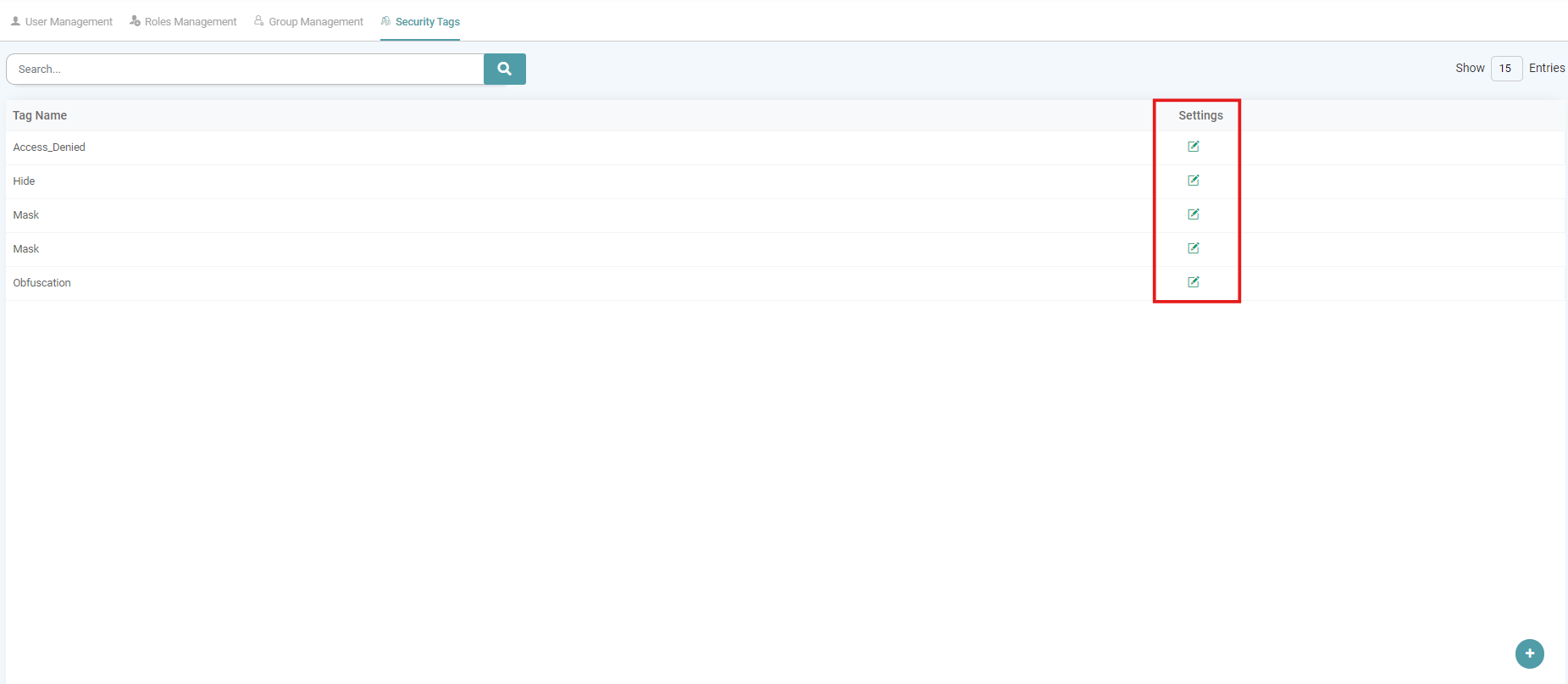
Step 3: After saving the security tag, the users can edit the security tag when they want. Click on the save button to update the changes made. (Refer to the image below).
