Binning Node – Introduction
Binning is used to create the bins for the numerical data present. To use this node, the data needs to be imported.
Step 1: Once data has been imported, click on data preparation.
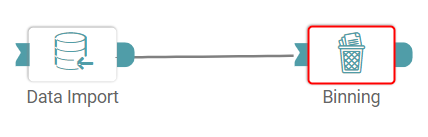
Step 2: Drag and drop the binning node onto the main screen. Connect the two nodes. (Refer to the image below).


Step 3: Once a successful connection is made between ‘data import and binning’, click on the select button. Binning pop-up appears with the columns present in the data. Click on ‘Apply’. (Refer to the image below).
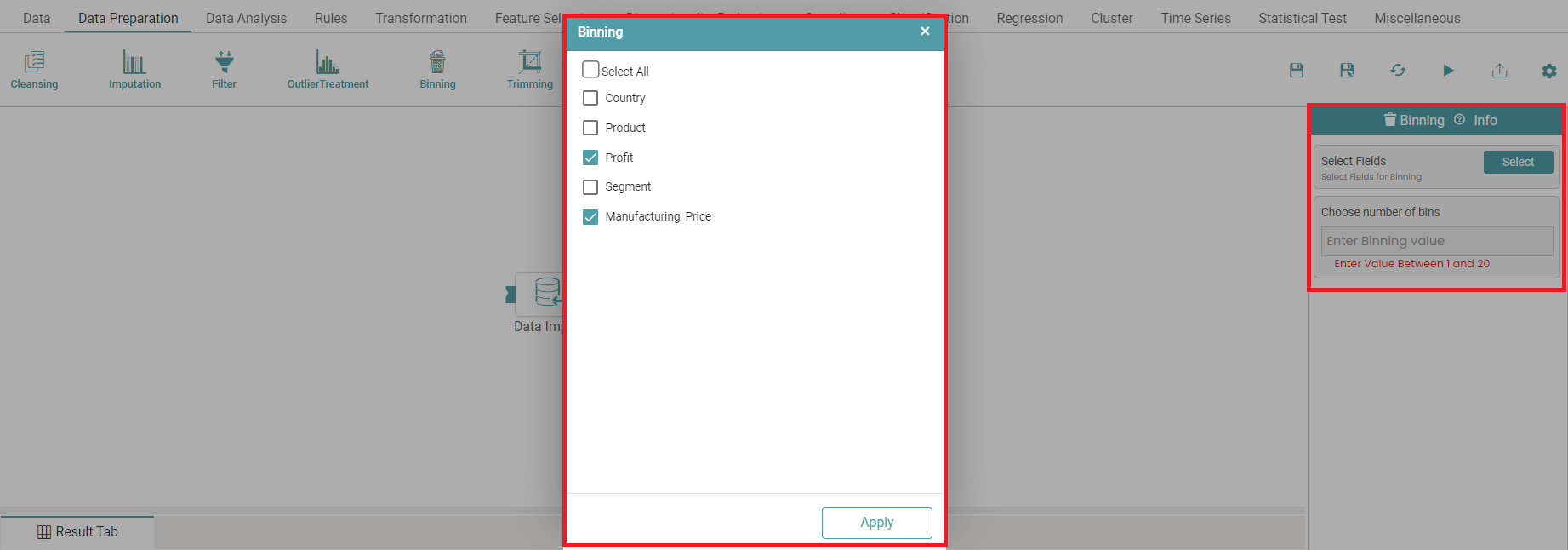
Step 4: Columns can be binned when the user enters the value of specific data range.
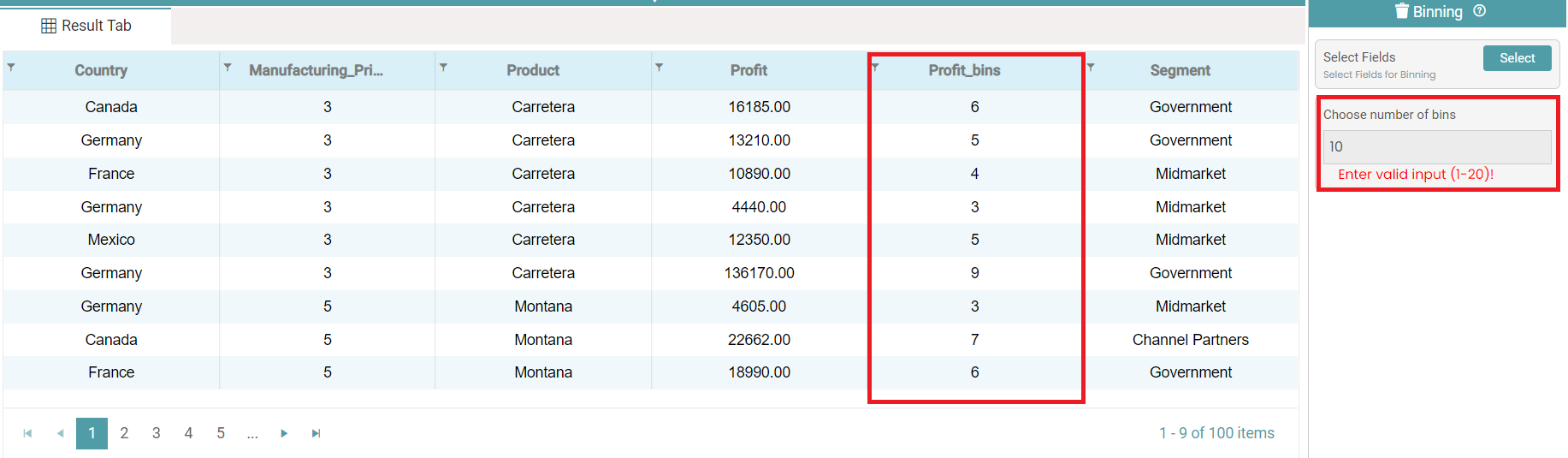
Step 5: Upon entering the values, click on the run button to run the workflow and click on the “Show Results” on the bottom line to view the result.
Step 6: The ‘Binned’ data is reflected in the form of a table. (Refer to the image below).
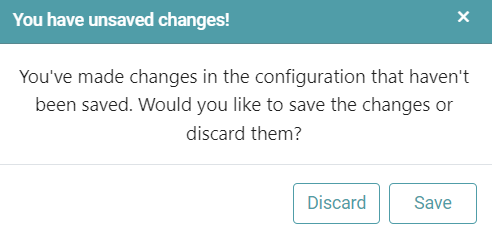
Note: After configuring a node, ensure you click “Save” to retain the changes. If you need to undo the configuration, click “Discard.” Failing to choose either “Save” or “Discard” will trigger a warning pop-up. (Refer to the image below).