
Merge Node – Introduction
You can join two data sets/ tables. You can select from the join types available according to your requirement.
Step 1: Once data sets are imported, click on transformation.
Step 2: Drag and drop the merge node onto the main screen. Connect the nodes. (Refer to the image below).
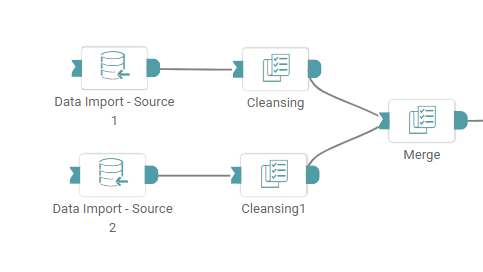


Step 3: Once a successful connection is made between ‘data import1, data import2 and merge’, click on the select button. A pop-up appears with the columns present in the data.
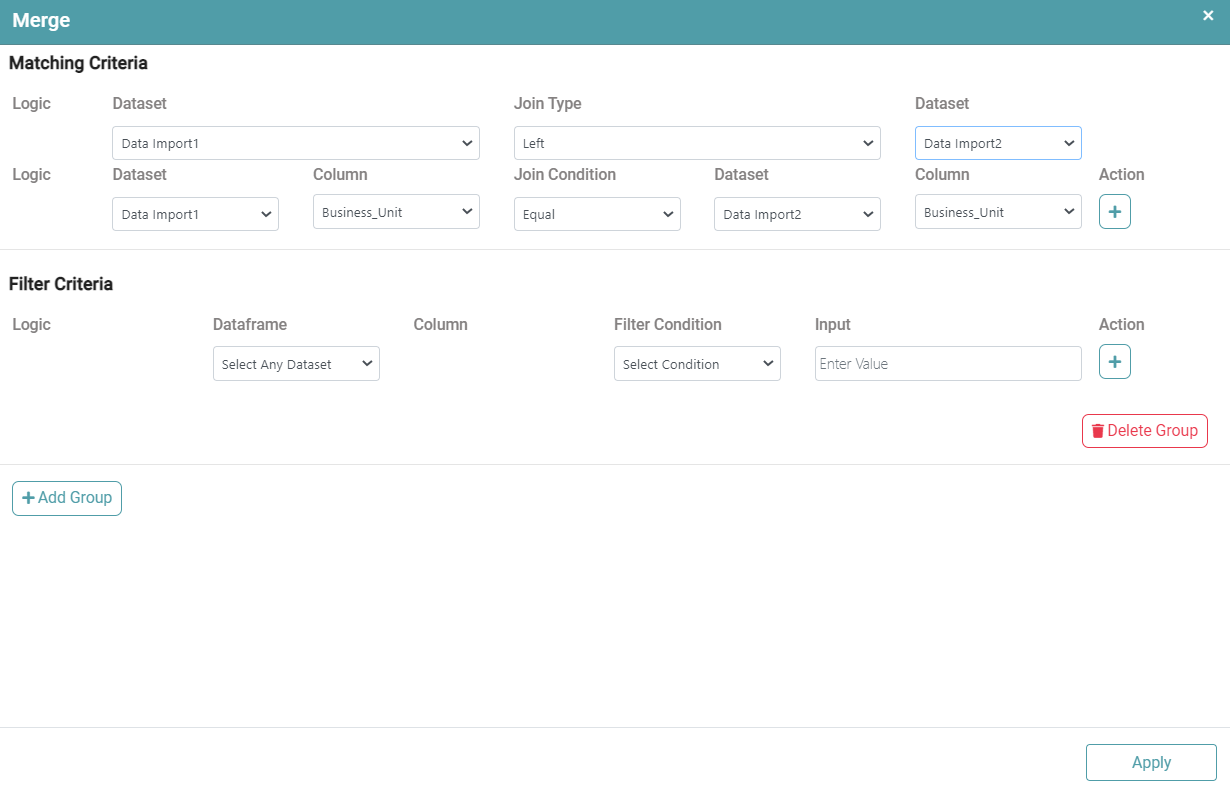
Step 4: You can now select the dataset, join type and join condition.
Step 5: Click on ‘Apply’. (Refer to the image below).
Step 6: Once the columns and the operations that need to be performed have been selected, click on the run button to run the workflow. Click on the “Show Results” on the bottom line to view the result.
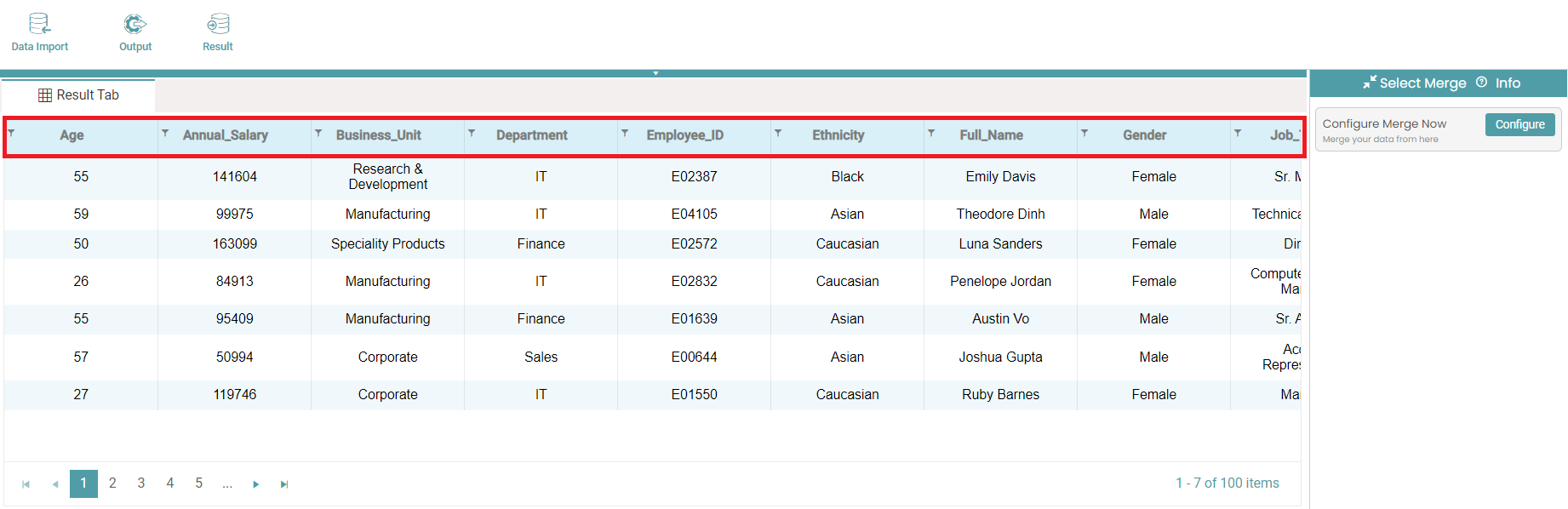
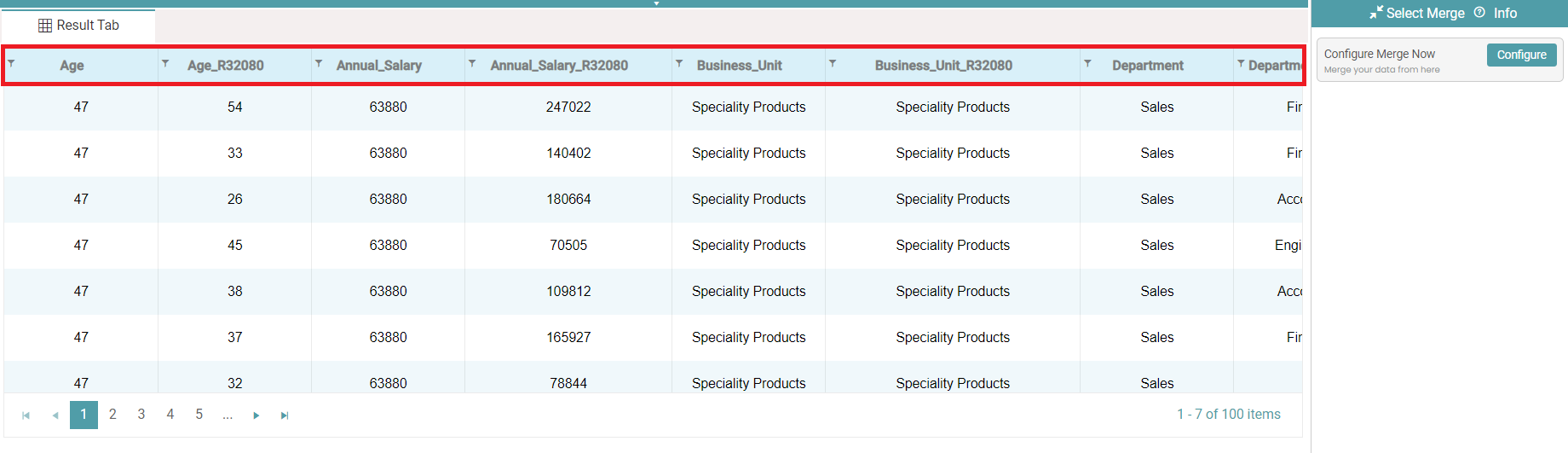
Step 7: The data is reflected based on the operations selected. The before and after images have been given below. (Refer to the images below).
Note: After configuring a node, ensure you click “Save” to retain the changes. If you need to undo the configuration, click “Discard.” Failing to choose either “Save” or “Discard” will trigger a warning pop-up. (Refer to the image below).